




Inverter Installation: Troubleshooting 101
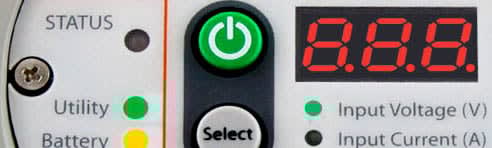
So you want to install an inverter, but with all the features and complexity of today’s more sophisticated units, you’re hesitant to take the plunge? Or, perhaps you’ve had some problems with your inverter, and you’re not sure if it’s a faulty unit … or a simple installation problem?
So you want to install an inverter, but with all the features and complexity of today’s more sophisticated units, you’re hesitant to take the plunge? Or, perhaps you’ve had some problems with your inverter, and you’re not sure if it’s a faulty unit … or a simple installation problem?
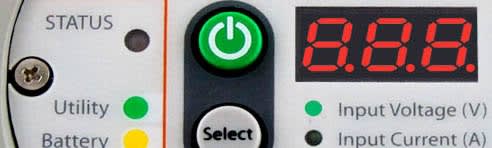
This article offers up some basic troubleshooting tips to help ensure your inverter is installed correctly in order to deliver maximum, trouble-free delivery. Success in this area will save aggravation and potentially money associated with having to engage a support technician for unwarranted and unnecessary repairs.
First, an overview. When working with electrical circuits, you must always ensure the circuit is powered down and cannot be re-energized while you are working on it. If you’re not entirely comfortable with this task (or any other cited in this article) then by all means, leave it to the experts.
If for any reason, things don’t seem to be working as they should with your inverter, understand that these types of products simply don’t “kind-of” fail. When an inverter goes bad, typically nothing will work … or, one of the features simply won’t work consistently.
Strategies for Inverter Installation Success
1. Revert all settings to factory defaults.
This may seem obvious, but the factory default settings are usually default for a reason. They are the values that allow the inverter to work in the vast majority of environments. While you don’t want to leave these settings to factory default in the long term, for a quick test, it’s ideal. After completing the test, then you can easily readjust the settings to meet your specific needs.
Check the settings, one by one, until the problem is identified, or the settings are adjusted to work.
Note: If the inverter came installed with your vehicle, the manufacturer would likely have changed the factory default settings to custom settings to suit the design and application. In such circumstances, once you reset the inverter to the default OEM/manufacturer setting, you may not need any further changes.
2. Disconnect all loads.
This action will remove the installation as a possible cause of the problem. This is also a good time to disconnect the battery, wait a few minutes, and then reconnect, in order to reboot the inverter’s processor.
3. Power up the inverter.
If this works, bring the loads on-line, one by one.
4. Watch the DC voltage at the inverter and make sure the voltage stays within the DC voltage range of the inverter.
This eliminates the possibility that an ineffective circuit from the battery is causing the issue. If the voltage is erratic, solve that problem by tracing the cause of the erratic voltage and fixing it, and then get back to the inverter. Recommendation: if you don’t have a spare DC fuse, get one!
Also, read up on and review the features of your inverter. Some perceived problems actually arise from features in the inverter like idle mode, or power save. Such features, when enabled, allow the inverter to turn off when the load is low, but can create the very real perception of a problem.
Remember: inverters don’t produce energy; they simply convert what they’re given. If you have a combination inverter/charger, and the inverter doesn’t work, but the charger is humming along fine, then check the DC voltage at the inverter when inverting to gauge whether it is within the inverter’s DC range. If the inverter works, but the charger is problematic, then check the AC input voltage at the inverter and ensure it is within the inverter’s AC range. With a sound read of what the unit is receiving, you can eliminate most causes of perceived failure.
More Troubleshooting Tips
For the most part, inverters either work, or they don’t.
From my own experience and in working with dozens of tech service centers, I have concluded that more than 80% of inverters that are returned without hands-on troubleshooting have absolutely no issues on the bench. The problem in at least 20% of the returns correlate directly to faulty installations.
Erratic behavior, or inconsistent problems, are almost always a loose connection…somewhere. While it’s not easy to find them, it’s worth the time and the effort.
A quality volt-meter is worth the investment. While there is a cost associated with ownership, it may pay off in eliminating shipping and diagnostic bench time at the service center that is unnecessary.
Safety first! Power down as much as reasonable when working with circuits. Always use one hand when working with wiring. If you’re not qualified, or are not 100% confident in the process you’re attempting, hire a qualified electrician.
Remember, inverters are nothing more than an appliance that does what it’s told to do. If it doesn’t receive the right instructions, or can’t interpret its input, it likely will not perform to your expectations, through no fault of its own. Take the time to ensure the proper installation in order to maximize the performance of your hard-working inverter. Then, you will realize its ultimate return on investment.
More Drivers

Why Hiring Truck Drivers Is Getting Harder
Higher recruiting costs, a shrinking driver pool, and renewed pay competition are raising the stakes for fleets heading into 2027.
Read More →
Roehl Offers Truck Drivers $10,000 Retention Incentive
Payments begin after the first load and continue in mileage-based installments for eligible experienced drivers joining the fleet.
Read More →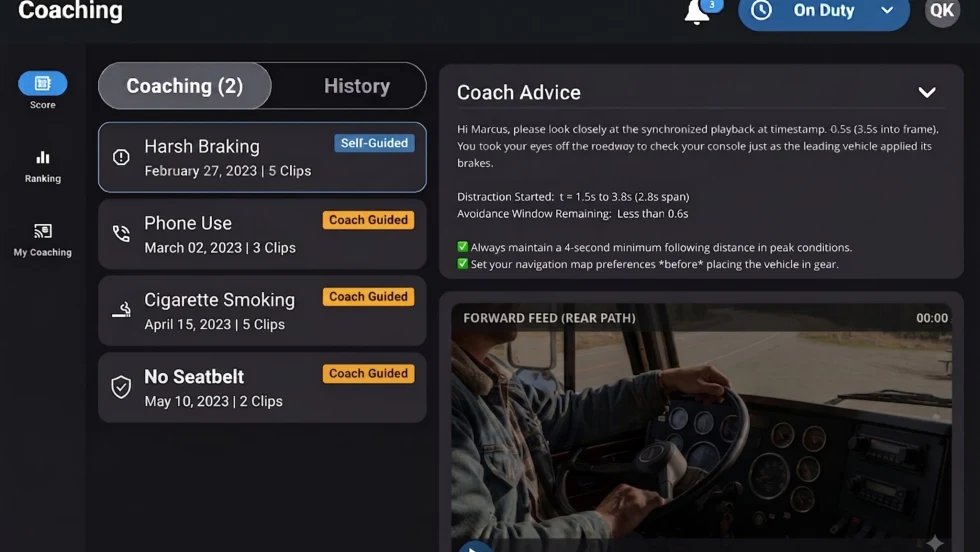
Platform Science Adds Dispatch and Safety Tools
Four additions to PS Fleet help fleets monitor loads, manage driver coaching, share truck locations and adjust video system settings.
Read More →
When Language Stops the Truck: The Return of ELP Out-of-Service Orders
English language proficiency rules for commercial drivers aren’t new, but renewed out-of-service enforcement has raised the stakes. Here’s what carriers need to know before a driver reaches a roadside inspection.
Read More →
Samsara Launches Custom AI Agent Builder
Agent Studio lets fleets create AI tools for hours-of-service monitoring, reporting and driver support, including agents that communicate by phone.
Read More →
Trucker Path Expands Reserved Parking Network
Trucker Path has added close to 6,000 more truck parking spaces to its Trucker Path Reserved Parking Network with the addition of Safe Truck Parking.
Read More →
EEOC Sues Texas Trucking Company Over Driver Age Limits
The agency says Trancasa USA rejected applicants over 65 and applied tougher driving-record standards to those over 60.
Read More →
Nussbaum, Roehl Announce Second Driver Pay Increase This Year
This year has seen a swath of major truck driver pay increases as freight capacity has tightened.
Read More →
From One Generation to the Next: How Mentorship Builds Safer Truck Drivers
After three decades in trucking, Harold Perry shares what he's learned about driver safety, mentorship, and helping the next generation build confidence behind the wheel.
Read More →
Truck Drivers Need More Than Another Alert
Fleets have more visibility into truck health, safety events, and driver activity than ever. The next challenge is turning all that information into useful guidance for the person who has to decide what to do next.
Read More →