




Get the Most from Your Tire Pressure Sensors
Fleets are increasingly looking to tire pressure and temperature monitoring systems to optimize tire life and performance -- but if the system is not installed right, you won't get the full benefit of your investment.

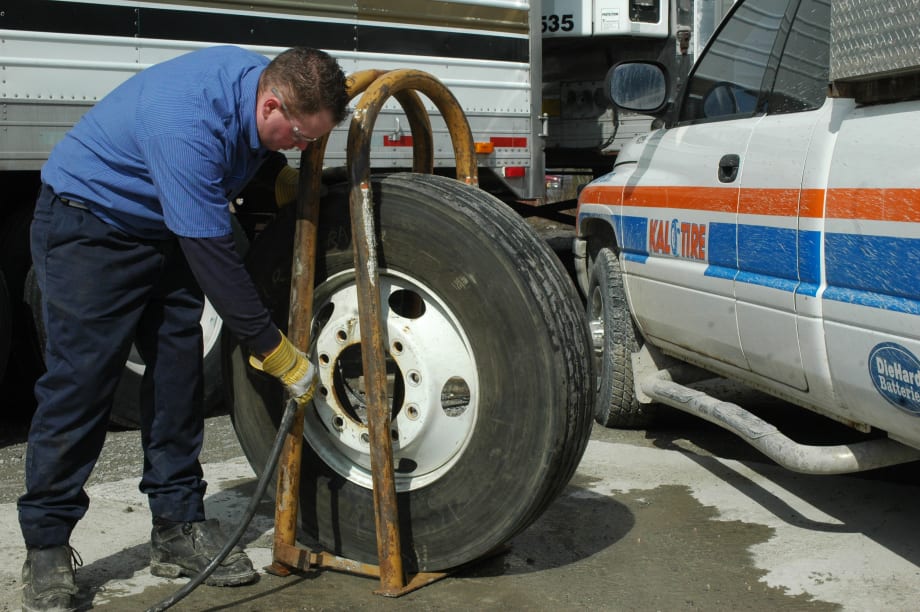
Nearly all roadside tire failures can be traced back to underinflation. A TPMS system can reduce such incidents and pay for itself in less than 8 months. Photo by Jim Park
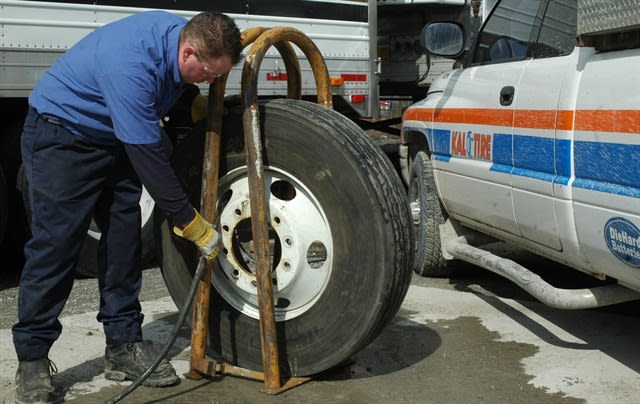
Nearly all roadside tire failures can be traced back to underinflation. A TPMS system can reduce such incidents and pay for itself in less than 8 months. Photo by Jim Park
Making the case for a tire pressure monitoring system is easy. Calculate only the labor cost of regular tire pressure checks and you'll see the ROI almost immediately. Figure about 15 minutes per tractor-trailer unit times your fleet size, and you have a staggering number. The icing on the cake is the downtime and service costs saved through preventing roadside tire failures. Once you see the numbers, you'll be a believer.
But to truly realize those numbers, you need to make sure the system is installed properly and delivering the information you need.
“Ninety percent of all tire failures are caused by underinflation, and almost half of all emergency service calls are tire-related,” says Jon Intagliata, product manager for tire pressure monitoring systems at Bendix. “A tire pressure monitoring system can provide the crucial information that enables fleets and drivers to address potential failures before they occur, improving tire life, fuel economy, and safety.”
Tire pressure monitoring systems vary depending on the manufacturer, but generally operate on the same core principle: sensors mounted in each wheel of a tractor and/or trailer constantly measure a tire’s pressure and, if mounted inside the tire, its temperature. This information is transmitted wirelessly and displayed by either an in-cab display or a technician’s hand-held device during maintenance checks.
A typical TPMS in-cab display usually provides alerts that notify the driver of potential problems depending on the severity of the situation.
Pressure deviation alert: If a tire deviates a designated percentage from its proper inflation pressure, the system activates a warning light and, possibly, an audible alarm.
Critical low-pressure alert: This alert activates when a tire’s pressure falls significantly below its cold inflation pressure value (usually set at 20%). This visual and audible warning represents the need to take immediate action.
High-temperature alert: In systems equipped with temperature-measuring in-tire sensors, this alert signals a high tire temperature that exceeds a predefined threshold -- typically 185 degrees. High tire temperatures are usually caused by underinflation, which means that low pressure alerts will typically occur well in advance of a high-temperature alert. Triggered on its own, a high-temperature alert can indicate a different problem, such as a dragging brake or wheel bearing failure.
Low sensor battery alert: When the battery in a sensor nears the end of its life, it should be replaced as soon as possible to ensure continued accurate measurement.
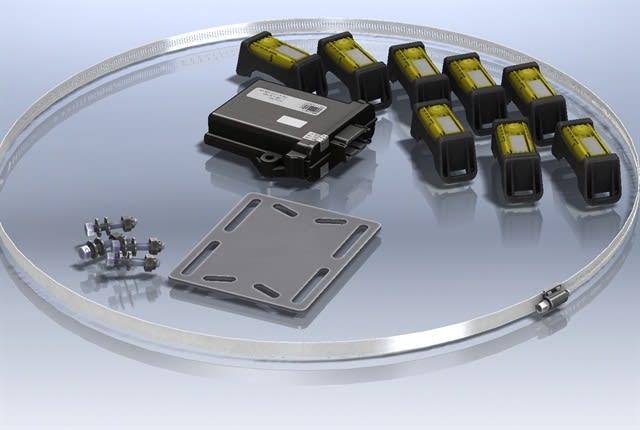
The SmartTire TPMS by Bendix CVS.
These alerts will vary depending on the TPMS, as well as on a system’s pressure and temperature thresholds. More advanced TPMS systems offer customization of the alerts based on a fleet’s or driver’s needs and operating conditions. Many now offer telematic delivery of critical tire data right to fleet tire management databases or directly to a maintenance manager's email to alert them to a problem.
Inside-the-Tire Installation Tips (from Bendix)
The Bendix SmarTire TPMS uses wheel-mounted sensors inside the tire. Technicians installing these internally mounted sensors should remember the following points:
Always complete the installation with the rim standing up.
Once the mounting strap has been measured to the proper length to hold the sensor in place around the wheel, the excess strap length should be cut off prior to final installation. Never bend the strap to break it off after you have installed the sensor.
Sensors should be placed at or near the valve stem to facilitate locating the sensor after the tire has been mounted.
When mounting sensors on dual wheels, make sure the valve stem positions -- and thus, the sensors -- are offset 180 degrees from each other, to ease in locating the sensor when initiating with a hand tool.
Valve-Stem Sensor Installation Tips (from PressurePro)
Listen for the “release” of air when screwing on the sensor. It is not unusual for the valve core to be seated too deeply in the valve stem. Check valve core level by placing your thumb nail straight onto the plunger to ensure it opens and a burst of air is released
It may be necessary to clean the threads of the valve stem with a wire brush or tapping tool before installing a sensor. The sensor may not activate properly if the valve core pin is not flush with the end of the valve stem allowing a good interface to the valve stem. The valve core should be centered so it will not slip to one side when screwing on the sensor.
Ensure the valve stem and the sensor threads are compatible. PressurePro uses a brass thread, which can chemically bond to some materials such as aluminum when exposed to salts and other chemicals. When installing sensors on aluminum stems, use Teflon tape on the stem to help prevent bonding.
If using valve stem extensions, it is important to tighten extensions securely to valve stem. Always check the valve cores in extensions for proper air release.
If you use a balancing compound in the tire, uses a valve-stem filter to keep material from entering the valve core.
After installing sensors, check for leaks by coating the sensor, extension and valve stem with a solution of 1 part liquid soap to 2 parts water. Look for bubbles which indicate a leak.
Calibrating the System
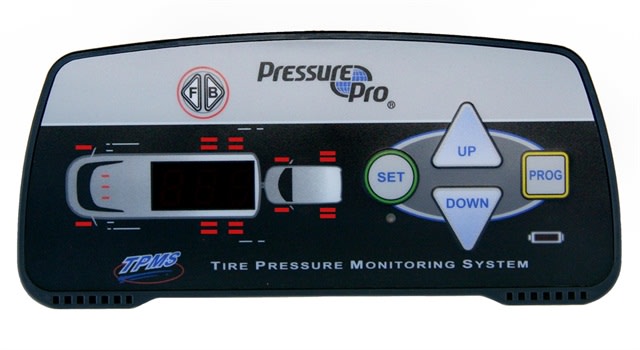
PressurePro's in-cab TPMS display.
Once all the hardware is installed, the systems need to be calibrated to ensure the receiver gets data from all the wheel positions and the correct wheel position is registered with the reader. Follow manufacturer's instructions.
Tire pressures should be checked with a quality pressure gauge with tire at ambient temperatures when installing the sensor to verify proper readings.
When sensors are installed, they are programmed to a specific tire position. If, when rotating tires or installing new tires, sensors must be removed. Do one of the following: mark each sensor to identify its wheel location. (This can be done by placing sensors into marked containers, such as envelopes or baggies.) When putting the sensors back onto the valve stem, screw the sensors back onto the sensor’s original wheel location. By doing this, you eliminate the need to reprogram the Sensor to the Monitor. System will now be ready to operate. Or, if you choose not to identify each sensor to a location, delete each sensor from the monitor. When reinstalling sensors, they must be reprogrammed.
Tire pressure and proper upkeep have a direct impact on the performance and longevity of tires themselves, and further-reaching effects in terms of fuel savings and fleet operating costs. TPMS is a cost-effective way of maintaining proper tire pressure and thus, optimum tire life and fuel efficiency.
More information on TPMS is available at these manufacturers' websites:
More Maintenance
Oil Crisis Squeezes Trucking Lubricant Supplies
Fleets report higher lubricant costs as Middle East disruptions tighten supplies of ingredients used in synthetic engine oils and some driveline lubricants.
Read More →
Shell Prepares Rotella Oils for 2027
New CL-4 and FB-4 formulations will begin arriving in early 2027, with improved protection against oil breakdown, wear and deposits, according to Shell.
Read More →
Mack Expands Extended Coverage With Four Chassis System Plans
Mack Trucks' new system-specific coverage options allow heavy-duty fleets to select protection for driveline, cab, HVAC, electronics, and advanced safety components.
Read More →
What an Out-of-Service Order Really Costs, and How to Plan for One
The repair invoice is the first number you see — and often one of the smallest. Here’s what else an out-of-service order can cost a fleet, and how planning can reduce the damage.
Read More →
International Launches Online Truck Parts Store
Fleetrite.com lets fleets and repair shops find OEM and all-makes parts, check prices and availability, and order without calling a parts counter.
Read More →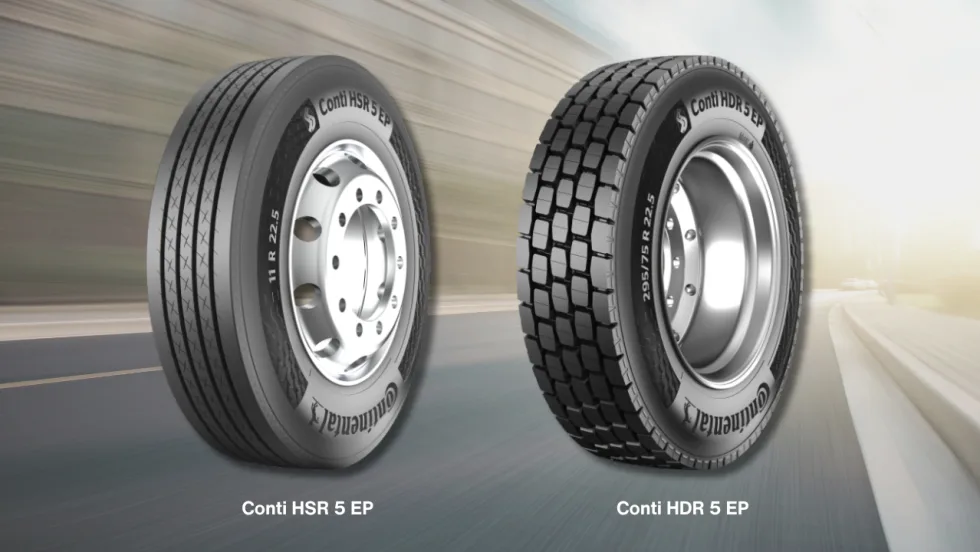
Continental Introduces New Regional Truck Tires
Continental says its new Generation 5 steer and drive tires for regional operations offer longer tread life, with estimated mileage gains of 22% and 19%, respectively.
Read More →
How AI Can Help Your Techs’ Efficiency
The technician shortage isn't going away, and no single fix can close the gap on its own. Trent Broberg makes the case that AI's real job in the shop is protecting the billable hours and job satisfaction of the techs you already have, not asking them to work faster.
Read More →
Color Match Smarter: Tools That Restore & Perform
For fleet managers and collision repair professionals keeping heavy-duty trucks on the road, getting the color right the first time isn't just about appearance — it's about efficiency, turnaround time, and bottom-line results. Discover how today's digital color tools are transforming the repair process from guesswork to precision.
Read More →
Wrong Repair Prompts Recall of Freightliner, Western Star 4x2 Trucks
DTNA is recalling more than 2,400 trucks that received an incompatible software fix instead of the hardware repair required to address brake valve corrosion.
Read More →
Truck Drivers Need More Than Another Alert
Fleets have more visibility into truck health, safety events, and driver activity than ever. The next challenge is turning all that information into useful guidance for the person who has to decide what to do next.
Read More →